Spreadsheet sales tracker
Checks every row of a sales sheet and keeps doubles and broken rows out of the totals.
Covers: every row of one sales sheet, checked by a script inside the sheet, with doubles kept out of the totals.
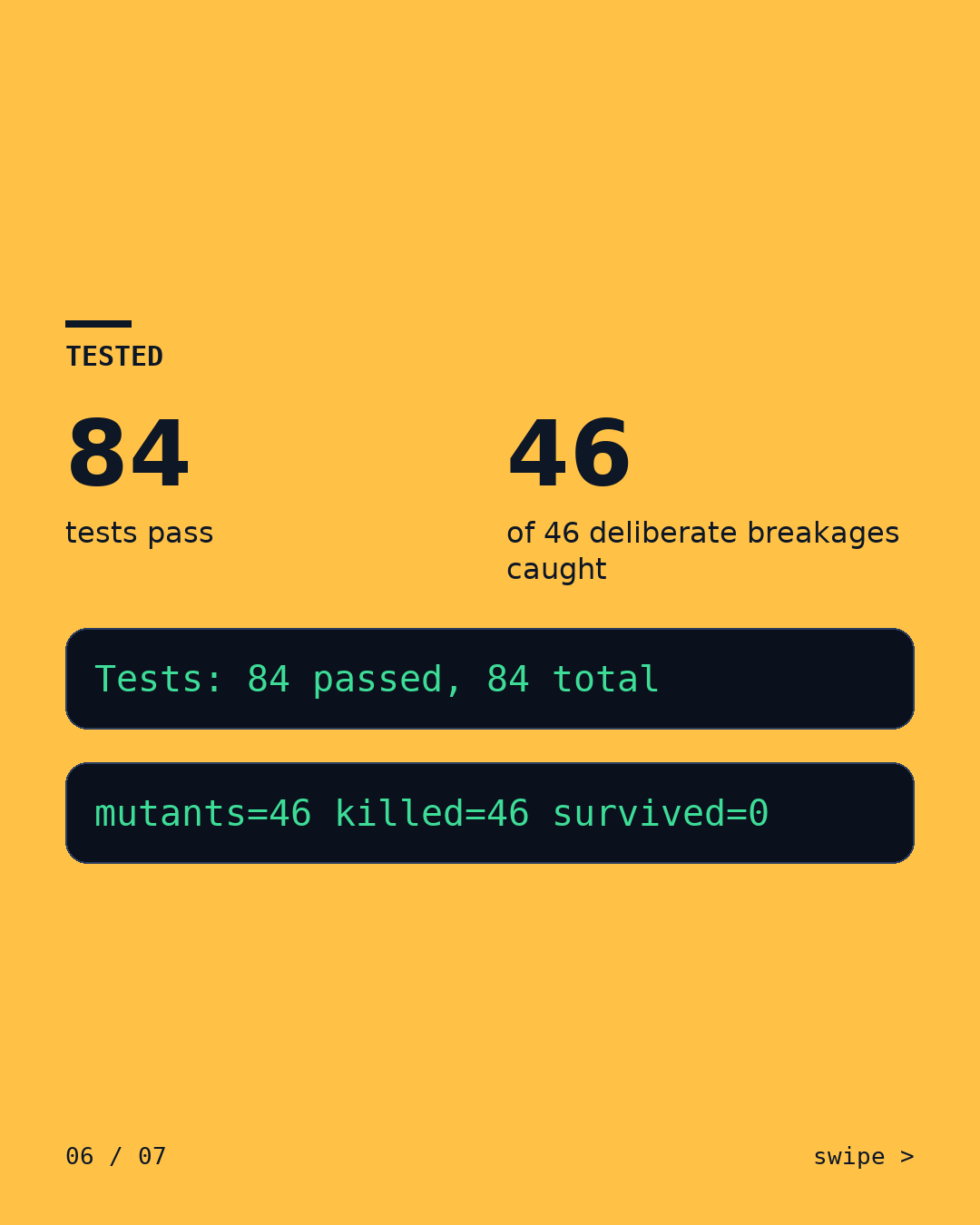
- 84tests passed
- 46 of 46planted bugs caught
- Checked a second time in a separate review pass before publishing. Required fixes from that check are in.
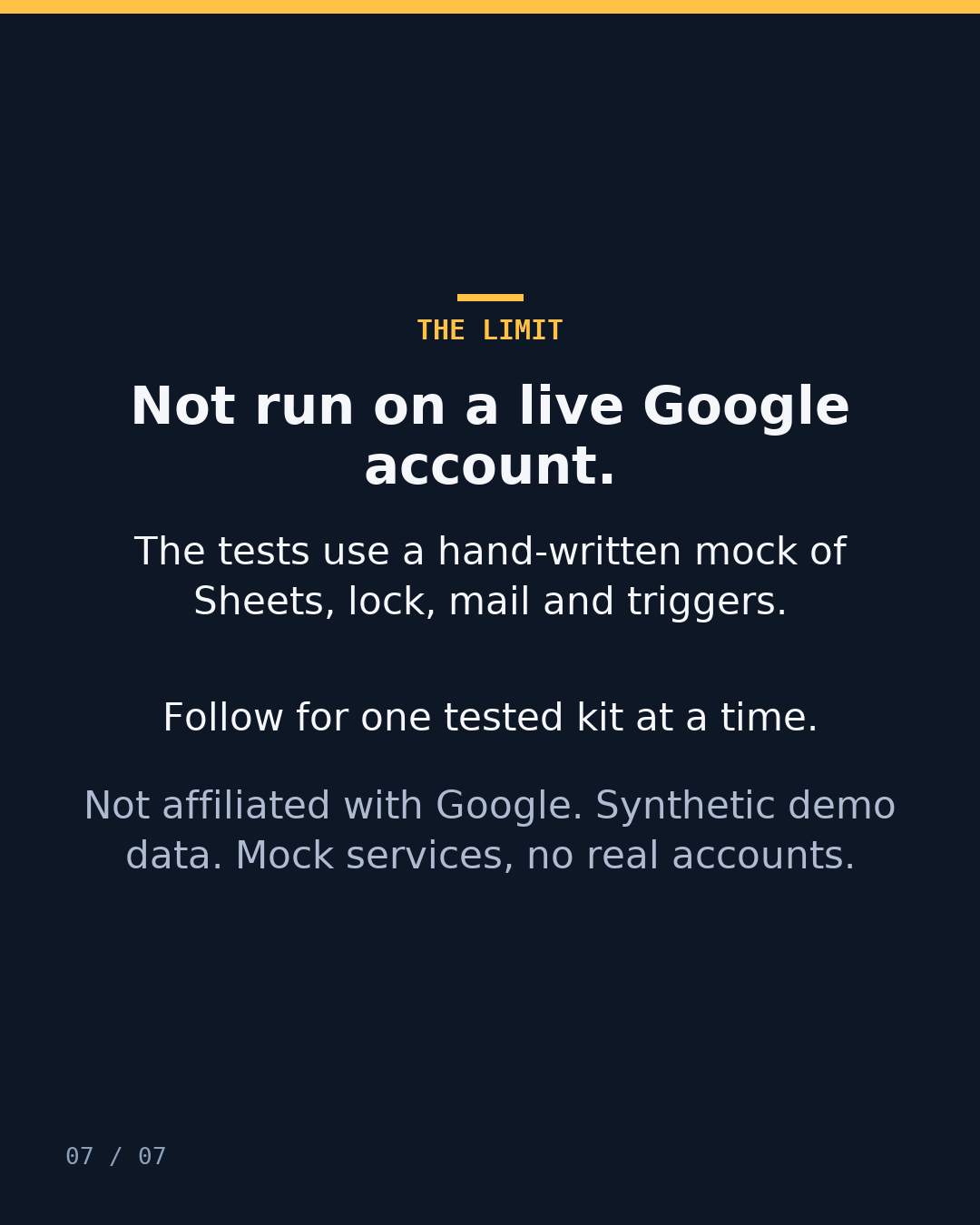
Limit: It has not been run on a live Google account.
What you get
- This kit, set up on your data after a written brief.
- Its test report: what we broke, what caught it and what got through.
- A plain list of its limits, and a report or log after every run, so you can check the counts the next day.
What we need from you
- A sample export, or access to a test copy of the tools it connects.
- A written brief: what it should do and where you think it breaks.
Price: from $49, fixed quote in writing before any work.
Timing: the written quote states the delivery date.
Ask about this kitor write to [email protected]
The problem
Orders typed into a sheet during a live sale pick up doubles, blank rows and the odd renamed column. A plain sum counts all of it.
What we broke
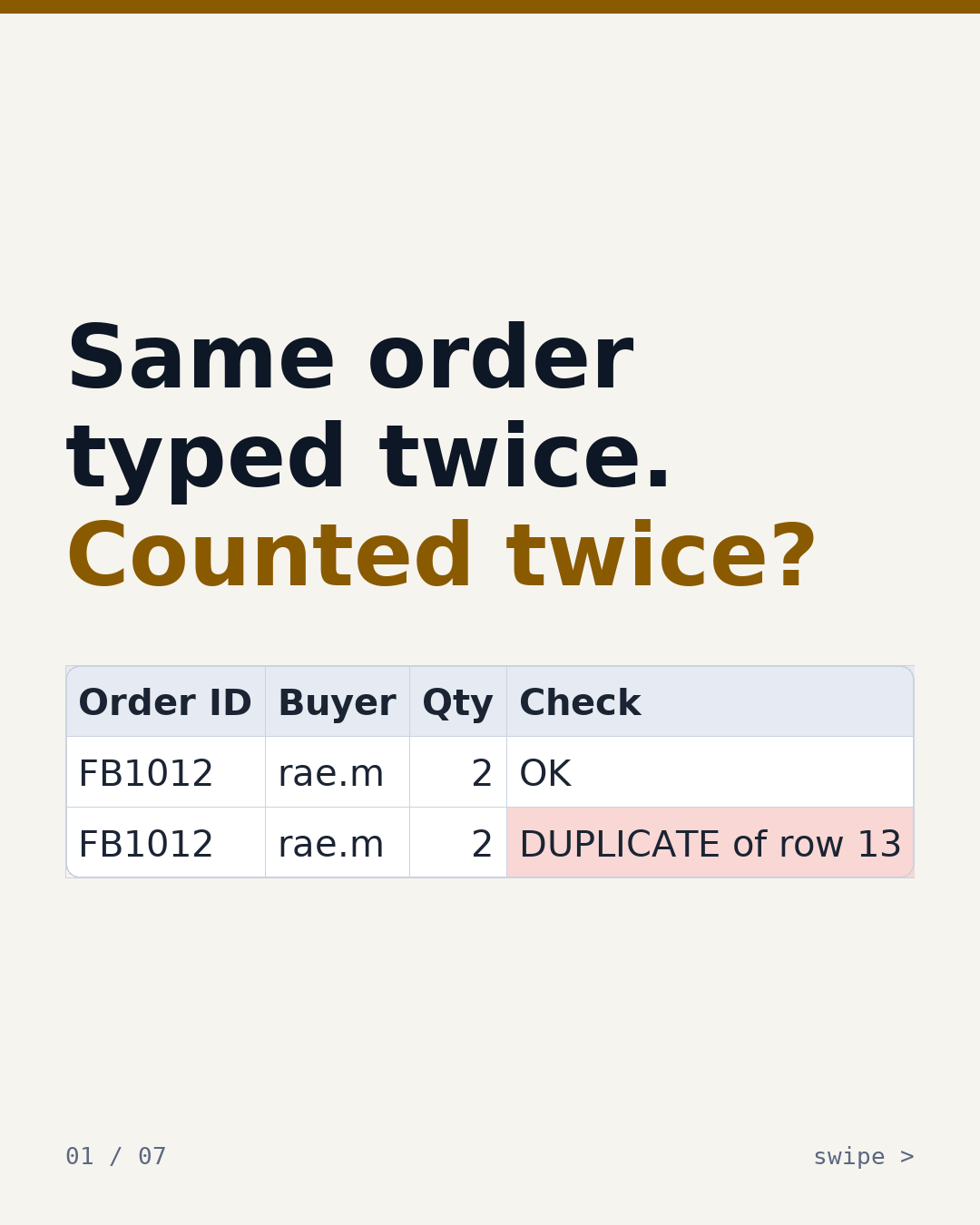
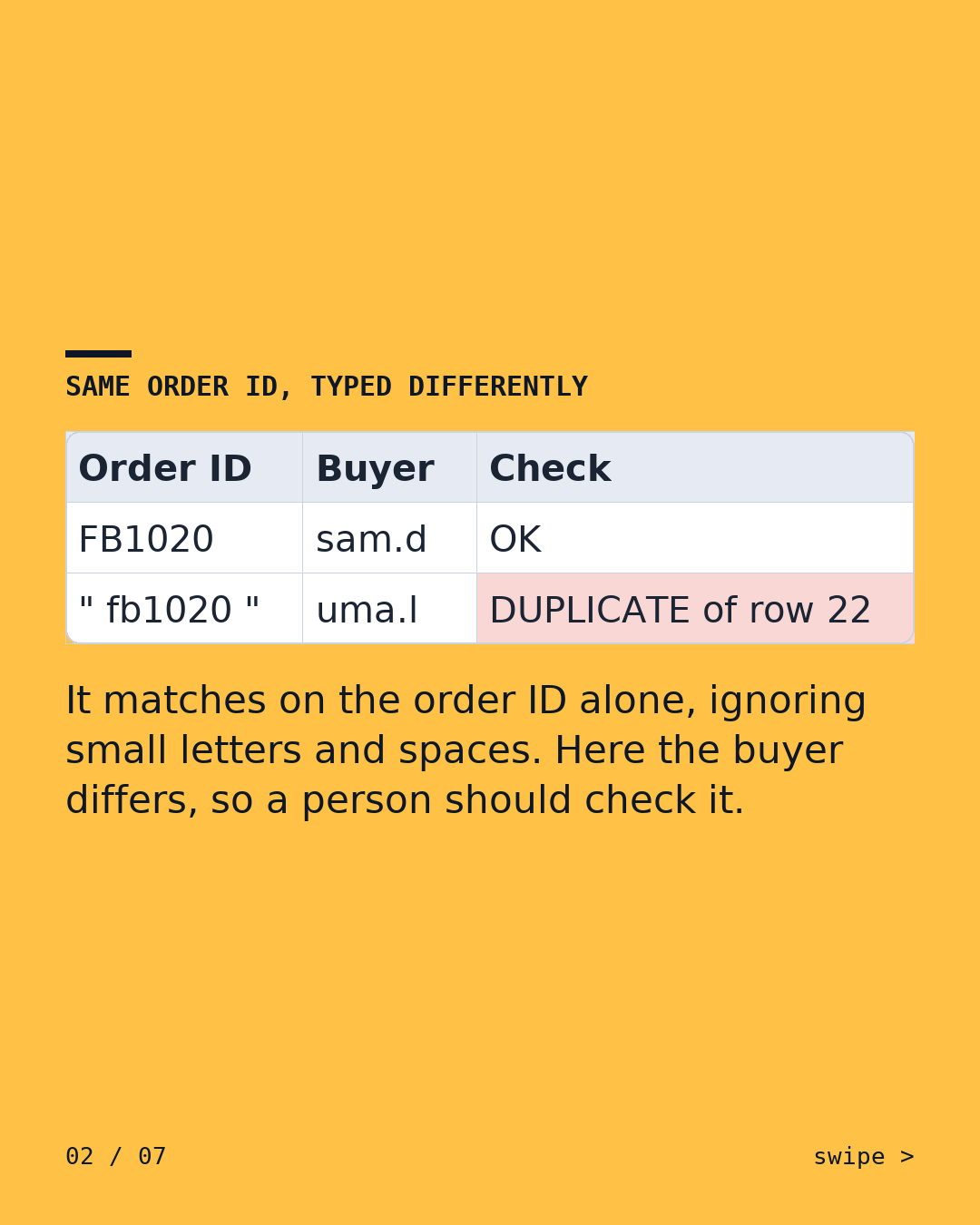
- We typed order FB1012 twice. The second copy is flagged 'DUPLICATE of row 13' and left out of the totals. Matching ignores capital letters and stray spaces.
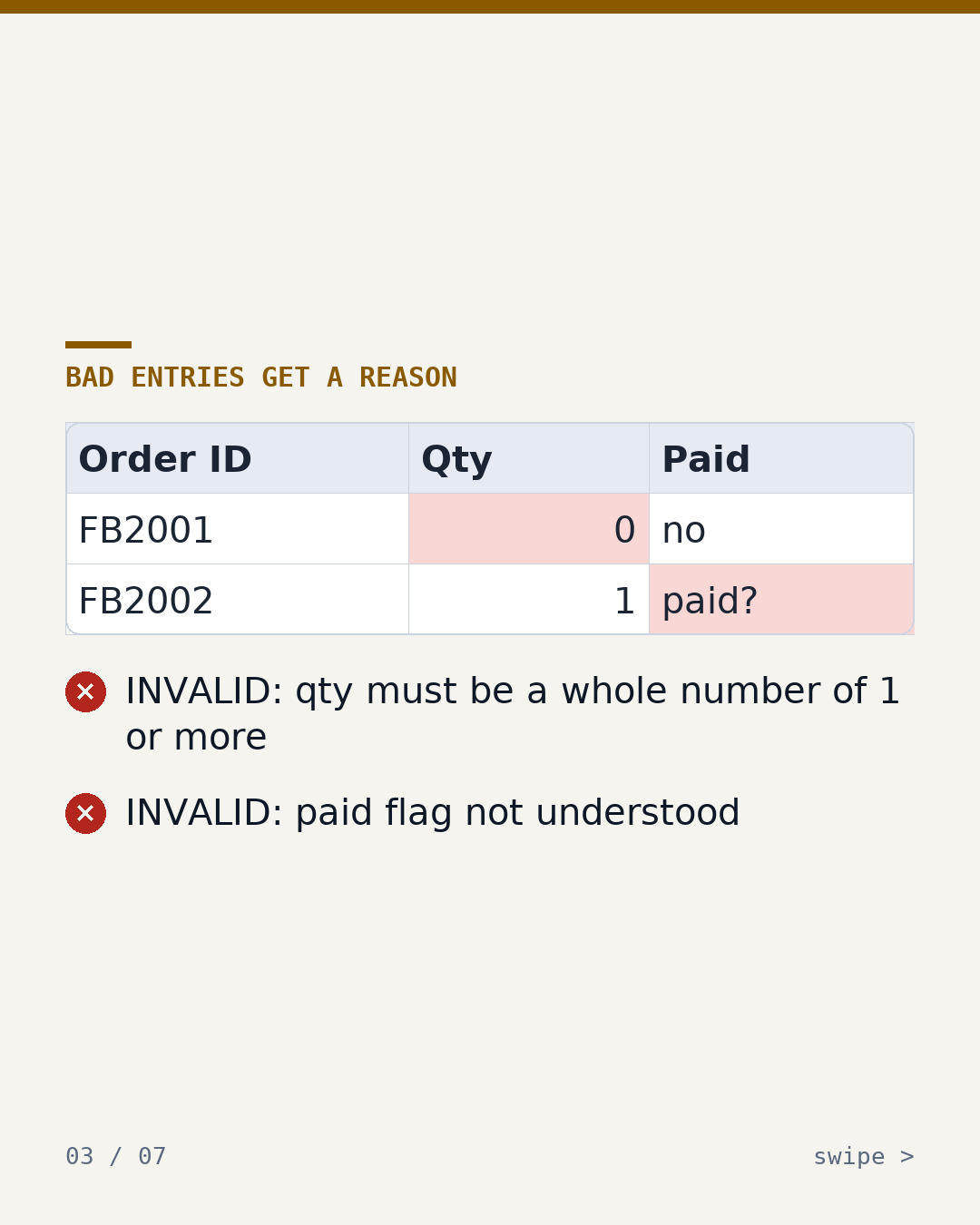
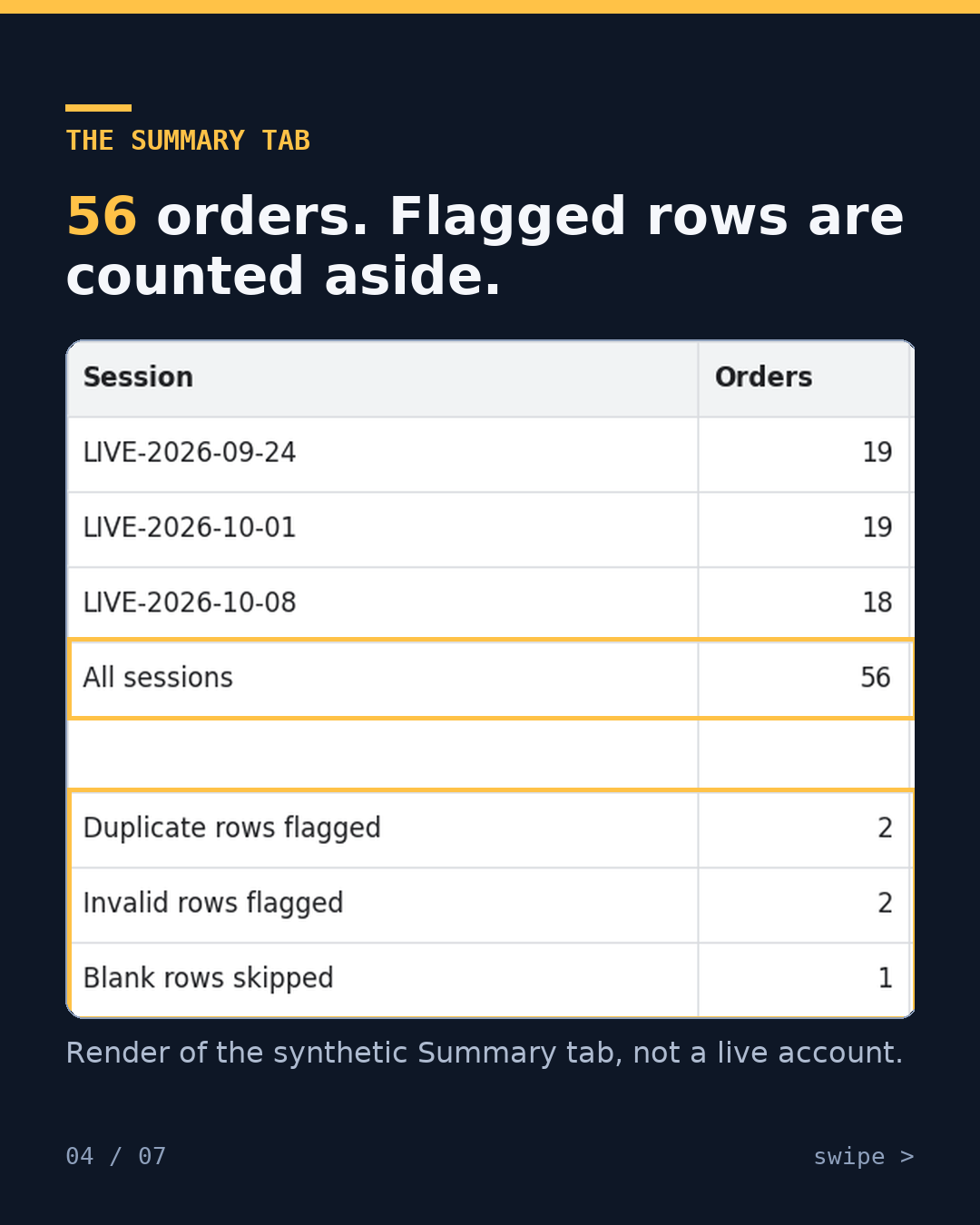
- Two rows were invalid and one was blank. Both invalid rows are flagged with a reason. The blank row is skipped and not counted as an error. The summary counts 56 orders and 115 units.
- We renamed a column. Nothing is written, and the Error Log names the column that changed.
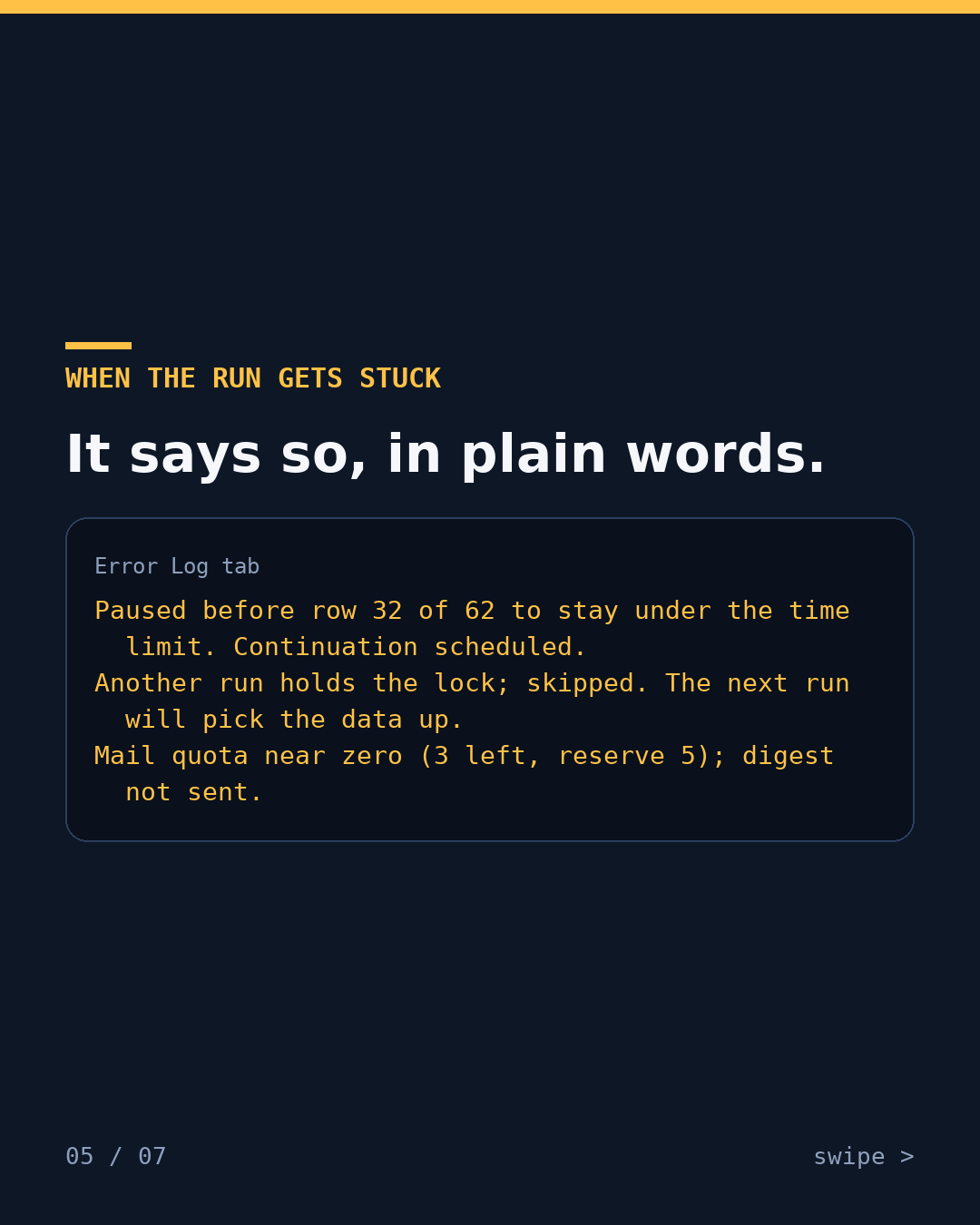
- We ran it into the time limit. It paused before row 32 of 62 and scheduled a continuation.
- We ran the mail quota down to 3 left, under its reserve of 5. It held back the email digest and said so in the Error Log.
Before / after runSpreadsheet sales tracker
What it does after the fix
A script inside the sheet checks every row. It keeps the first copy of an order, flags later copies and invalid rows with a reason, and writes a summary. When it runs out of time, finds the sheet locked or sees the mail quota nearly used up, it says so in plain words in an Error Log tab.
Limits
- It has not been run on a live Google account.
- The tests use a hand-written mock of the Sheets, lock, mail and trigger services. A difference between the mock and the real service would not show up.
- Our own demo kit, run on made-up data.
What happens after you write
You write
Email us or send a DM on X: what it does and where you think it breaks.
We ask a few questions
About your tools, your data and what counts as done.
Fixed written quote
The quote states the price and the delivery date.
Work starts only after you say yes
Nothing is built before you agree to the quote.
Want this on your data?
or write to [email protected]
Kits set up on your data from $49. A test run on your own automation from $45. Fixed quote in writing before any work.
This kit's logged test run
- tests
- 84 passed -> OK
- bugs
- 46 of 46 planted, caught
- data
- made-up, mock services